Blog · Android
Android speedometer: how to see your speed (free)
Your Android phone already has a speedometer — it is one switch away in Google Maps, and Waze has one too. If you want a big dial with no map, a trip log, or a reading on a bicycle or a boat, a free standalone app does that. And if you want nothing to install at all, the browser does it too.
Option 1: Google Maps — already on your phone
The navigation app that came with your phone already has a speedometer, and turning it on takes ten seconds. Google's help page gives these steps for Android: open Google Maps and tap your profile picture or initial; tap Settings, then Navigation; under "Driving options", turn on Speedometer. Then start a route, and the speed appears while you navigate.
Two things to know. First, Google describes the speedometer as part of navigation, so you need an active route to see it — it does not sit on the map when you are just driving around. Second, Google attaches a warning: the speedometer in Maps is for information only, and you should confirm your real speed on the vehicle's own dial. That warning is honest — the dashboard and the GPS measure speed differently, and the dashboard is the legal instrument. But on a steady open road the GPS number is usually the closer one: in a test against a police-grade LiDAR gun, Google Maps read exactly 80 and 100 km/h at both speeds, while the car's speedometer read 4 and 5 km/h high.
Maps also shows the posted speed limit where Google has the data, so you get both numbers side by side: your speed and the limit. That is the combination that actually prevents tickets — not the speed alone, but the speed next to the limit.
Option 2: Waze — speed plus alerts
Waze has a speedometer too, and it is the better choice if you want warnings as well as the number. Open Waze, tap Settings, then Speedometer, and turn on Show speedometer. On the same screen you can choose when the speed limit is shown, set what Waze should count as speeding, and switch on a sound alert. Waze's help page says the settings you make on the phone also apply when you use Waze on the car's screen.
Waze's extra value is the crowd: hazard reports, police reports and camera alerts from other drivers, and a warning when the posted limit is about to drop sharply — a motorway falling from 70 to 50 mph for roadworks, for example. Google Maps shows the limit too, but Waze warns you before the change, not after. Both apps are free, and Google Play marks both as containing ads.
Option 3: a standalone app — a big dial, no map
A separate speedometer app is worth installing when you want something Maps and Waze do not give you: a large dial with no map behind it, a log of your trips, or a reading on a bicycle or a boat, where there is no driving route to navigate. Before you install one, decide which job it has to do — a big dial for glancing at, a HUD mode for night driving, or a trip log — and then check the Google Play listing for the current price, the last update date, and the Data safety section. Our best speedometer apps comparison ranks the free Android options by job, with what each one lists for ads and tracking.
The Data safety section is worth reading even when the app is free. Some listings say no ads, no trackers and no sign-in, with trips staying on the phone. Others are the cautionary case: one long-running Android gauge lists that it sends raw sensor data, GPS included, to a third-party analytics company. That paragraph is in the listing — read it before you install. Listings change, so check the current one, not a review from two years ago.
Option 4: no install at all — the browser
If you do not want another app, the browser on your phone does the same job. Our live GPS speedometer opens in Chrome, Firefox or Samsung Internet, asks for location once, and shows your speed in mph, km/h, knots or m/s, with top speed, average speed, distance and trip time — and it keeps the screen on while tracking. There is nothing to install, no account, and your location never leaves the device. You can add it to your home screen and it opens like an app.
The browser option is also the honest one about accuracy. The page shows the GPS accuracy radius live, so you can see whether the fix is good enough to trust — under about 10 metres is good on an open road. An app that hides its accuracy is asking you to trust a number it will not defend.
Which one should you pick?
If you already navigate with Google Maps, turn on its speedometer and stop there — it is free, it is already installed, and it shows the limit beside your speed. If you want warnings and crowd reports, use Waze. If you want a big dial, a trip log, or a reading on a bike or a boat, compare the free options in our best speedometer apps guide and pick by the job, not by the download count. And if you want no app at all, use the browser.
Before you install any of these, check the app's Data safety section on Google Play. It lists what the app collects and whether it shares it. An app that lists location under data collected and "no data shared" is the one you want; an app that shares precise location with third parties is selling the very thing you installed it to measure. Listings change, so check the current one, not a review from two years ago.
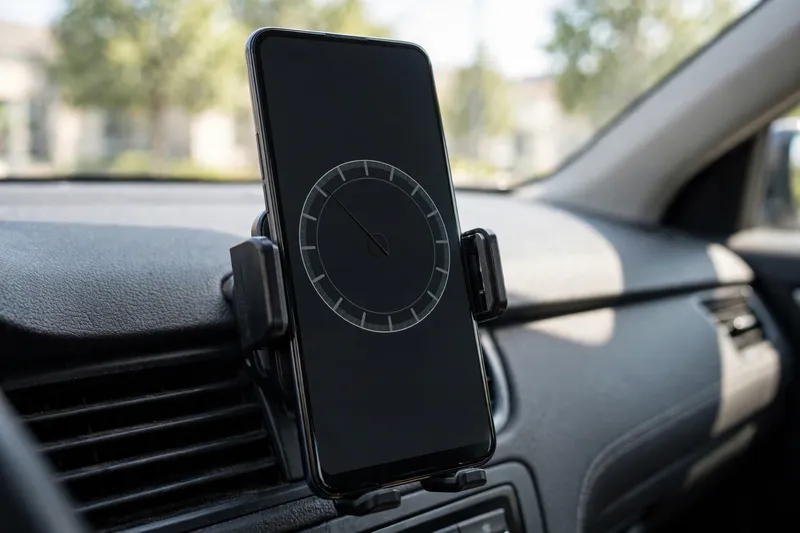
Whichever you pick, mount the phone before you set off. A speedometer you have to pick up and look at is worse than no speedometer at all — it takes your eyes off the road to tell you how fast you are going, which is the opposite of the point. A cheap windscreen or dashboard mount, the app started before you move, and your eyes on the road: that is the whole setup.
FAQ
Questions, answered.
01 How do I see my speed on Android without an app? +
Use Google Maps. Open Google Maps, tap your profile picture, tap Settings, then Navigation, and under Driving options turn on Speedometer. Start a route and the speed appears while you navigate. Google's help page describes the speedometer as part of navigation, so you need an active route to see it — and Google warns it is for information only, so confirm your speed on the car's own dial.
02 Does Waze show speed on Android? +
Yes. Open Waze, tap Settings, then Speedometer, and turn on Show speedometer. On the same screen you can choose when the speed limit is shown, set what Waze should count as speeding, and switch on a sound alert. The settings you make on the phone also apply when you use Waze on the car's screen through Android Auto. Waze and Google Maps use the same GPS maths, and in a LiDAR test both were dead accurate at 80 and 100 km/h.
03 What is the best free speedometer app for Android? +
There is no single best one — it depends on the job. A big dial for glancing at, a HUD mode for night driving, and a trip log are three different jobs, and different free apps win each one. Our comparison of the best speedometer apps ranks the free Android options by job, with the ads and tracking each one lists. Start there, then check the current Google Play listing before you install.
04 Is there a speedometer app with no ads and no tracking? +
Several list themselves that way, but read the listing before you install. SpeedometerX says no ads, no trackers and no sign-in, and that trips stay on the phone. Speedbox and Simple GPS Speedometer also list no ads and nothing to buy. SpeedView is the cautionary case: its Legacy Edition listing says it sends raw sensor data, GPS included, to a company called Sense360 for analytics and marketing. The data paragraph is in the listing — read it before you install.
05 Can I use a speedometer app on a bicycle or a boat? +
Yes — that is one of the best reasons to install a standalone app instead of using Maps. Google Maps' speedometer only appears while navigating a driving route, which does not help on a bike or a boat. A standalone app shows your speed whenever you move, and Speedbox offers knots as well as mph and km/h, which is the unit boats use. Our bicycle and boat speedometers do the same thing in the browser, with pace for cycling and knots first for boating.
06 How accurate is a phone speedometer on Android? +
Very accurate on an open road at a steady speed — the GPS maths is the same whether the number comes from Maps, Waze or a standalone app. Dual-frequency phones can fix their position to about 4.9 metres, so the reading is usually close to your true speed on a steady road. It is less accurate in the first seconds after you start moving, in tunnels, and between tall buildings, where the phone cannot see enough satellites. In those places the car's dashboard is the better reading.
Related tools
Try it in the browser, right now.
Sources
Where the facts came from.
- Oscarmini — Best Speedometer App for Android Beyond Google Maps (Google Maps steps: profile → Settings → Navigation → Driving options → Speedometer; Waze steps; one long-running gauge's listing says it sends raw sensor data incl. GPS to a third party)
- CarExpert — Google Maps vs Waze: Which best avoids a speeding fine? (LiDAR test: both apps dead accurate at 80 and 100 km/h, dashboard 4–5 km/h high)
Last checked: 22 November 2026.