Blog · Apps
Best speedometer apps: free, paid, and no-install picks
The best speedometer app depends on the job, and for everyday driving you probably already have one. Google Maps and Waze show your speed for free, a browser speedometer needs no install at all, and a dedicated app only earns its place when you want a bigger gauge, a HUD mode, or trip logging.
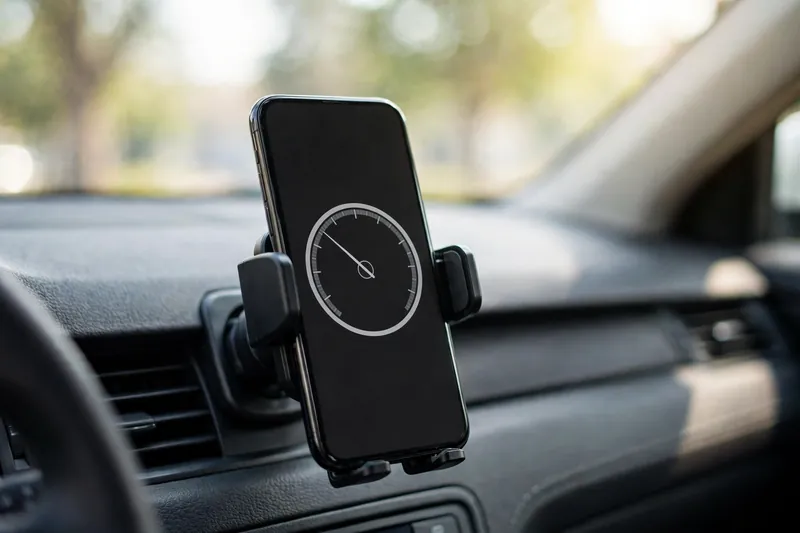
The no-install answer first
Before you open an app store, try the option with nothing to download. A browser speedometer uses the same Geolocation API every phone already has: open the page, allow location access, and the dial is live within seconds outdoors. Our homepage is exactly that — a live GPS speedometer with a dial, a large-digit mode, a HUD mirror mode, trip history that stays on your device, and a dashboard-error calibrator. It costs nothing, it has no ads, and there is no account.
The catch is the same for every phone speedometer: it needs a clear view of the sky, it drops out in tunnels and parking garages, and it lags for a moment under hard braking. That is a property of GPS, not of the app. A browser speedometer is the fastest way to check whether your dashboard is honest, and for most drivers it is all they ever need.
The apps already on your phone
Google Maps has a built-in speedometer. On Android it has been there since 2019; on iPhone it arrived in a rollout that began on 9 July 2024. Turn it on under Settings, then Navigation — on iPhone under Map display, on Android under Driving options — and it shows your speed in the corner of the map while you navigate, next to the posted limit where that is supported. Google says the reading is for informational use only, and your car's speedometer remains the reference. Step-by-step setup is in our iPhone guide and our Android guide.
Waze shows your speed by default whenever the app is open and you are moving, and it can warn you when you creep over the limit. It is the better pick if you want the speed next to hazard and police reports without switching apps. Apple Maps is the odd one out: it shows the posted speed limit, never your speed, even in the latest iOS. If you navigate with Apple Maps and want a live number, you need a second app — or the browser.
Dedicated apps worth installing
A dedicated gauge earns its place when the number itself is the point: a huge readout you can glance at, a mirror-image HUD for night driving, or a trip log. These are the picks that show up across the 2026 roundups, verified against their store listings.
| App | Platform | Price | Best for |
|---|---|---|---|
| SpeedView | Android | Free | Long-running clean gauge, big readout |
| DigiHUD Speedometer | Android / iOS | Free | Simple display, HUD mode included |
| GPS Speedometer: Odometer (KTWApps) | Android | Free, ads + in-app purchases | Most-installed gauge, 10M+ downloads |
| Speedometer Simple | iOS | Free | One job, no clutter |
| Ulysse Speedometer Pro | iOS | $1.99 one-time | Customisation + track recording |
| Speedometer Speed Box | iOS | Free, in-app purchases | 17 gauge designs |
| Sygic Speedometer | Android / iOS | Free | Speed camera warnings + HUD |
| GPS Speedometer Odometer HUD (BITHAUS.TECH) | iOS | Free, optional PRO subscription | Trip computer + HUD on iPhone |
| Speed Tracker: GPS Speedometer | Android / iOS | Free, ads | Same layout on both platforms |
Two of these numbers are worth pausing on. GPS Speedometer: Odometer by KTWApps on Android has over 10 million downloads, a 4.7-star rating across about 61,400 reviews, and was last updated on 31 October 2026 — it is actively maintained, which matters, because a gauge app that stopped shipping updates years ago is a maintenance risk on a current phone. The iPhone pick, GPS Speedometer Odometer HUD by BITHAUS.TECH, is free with an optional PRO subscription and carries a 4.8-star rating across about 9,200 reviews. Prices change, so check the store listing before you pay — the numbers above are what the listings showed when this article was last checked.
HUD mode and night driving
A HUD mode flips the number into a mirror image so you can lay the phone on the dashboard and read its reflection in the windscreen at night. It is the one feature a navigation app cannot give you, and it is where dedicated apps genuinely earn their place. DigiHUD includes it free on Android and iOS, and Sygic Speedometer and the BITHAUS.TECH app offer it too.
Results depend on your windscreen rake and dash colour, and the number is only as readable as the brightness of the display, so try it on a quiet road first. Our own homepage has a HUD mirror mode in the browser as well — same idea, nothing to install — and it works on any phone with a browser.
Free vs paid: what the money buys
Every app above reads the same GPS chip, so the price never buys a more accurate speed. What it buys is features and quiet. The free tier of most dedicated gauges includes ads and keeps the extras — trip history, HUD mode, custom dials — behind a payment. Speed Tracker, for example, is free with ads and puts some extras behind payment, while the core gauge works without paying. Ulysse Speedometer Pro on iOS is the opposite model: a one-time $1.99 purchase with no ads at all.
The question to ask is not "which app is most accurate" but "which job am I doing". If the job is a quick check mid-drive, Google Maps or the browser is free and already there. If the job is a big number at night, a HUD app earns its place. If the job is a recorded drive with distance, duration, top and average speed, a dedicated app with trip history is the one to pay for — or use the browser speedometer, which records trips on your device for free and exports them as GPX.
What a speedometer app cannot do
No phone app is a calibrated legal instrument. The speed comes from GPS, and GPS has hard limits: it drops out in tunnels and parking garages, it drifts between tall buildings, and it lags for a moment under hard braking, because the phone reports a new fix about once a second. A dedicated app cannot fix any of that — it reads the same chip a free app reads, and it fails in the same places.
The app also cannot tell you the posted limit unless it has map data, which is why Sygic's speed camera warnings and the limit display in Google Maps and Waze are features of navigation apps, not of bare gauges. And no app can make your dashboard honest: it can only show you the gap. If the gap is a steady few percent, that is the factory setting. If the dashboard reads low, or the gap jumps around, the car needs a check, not a better app.
Cycling and running need a different app
A driving gauge is the wrong tool on a bike or a run, because you want your route recorded alongside the speed. Strava is the default on both platforms and shows live pace and speed while it maps the ride or run. Komoot and Ride with GPS lean toward navigation and route planning, and Wahoo pairs with cycling sensors for riders who want cadence and power as well. If your question is pace rather than speed, our pace converter turns min/km and min/mile into km/h and mph in one tap.
Offline mode, battery and the train test
Two practical checks separate a good gauge from a frustrating one. First, offline mode: a speedometer that needs Wi-Fi or mobile data is useless on a mountain road or at sea, because GPS itself needs no network at all — the satellites are overhead, not in the cloud. The browser speedometer on our homepage works offline after the first visit for exactly that reason, and the better dedicated apps advertise an offline mode for the same one. Second, battery: the screen is the biggest drain, not the GPS chip, so a gauge with a dark theme and a dimmed display lasts far longer on a long drive than a bright one — and an app that keeps recording with the screen off will outlast one that does not.
One more job worth naming: the train speed checker. A phone speedometer is the only way to know how fast a train is actually going, because there is no dashboard to read — and the same GPS reading that checks a car dashboard works from a train window, as long as the phone can see the sky. Our train speed test is built for that job, with the same live dial and trip stats.
What to check before you trust an app
First, check the update date. A gauge app that has not been updated in years may still open, but it was built for an older operating system and older location permissions. Second, check the data-safety section on the store listing. Most speedometer apps only need location while you use them, but some older ones send raw sensor data — including GPS — to third parties, so read what the listing says it collects before you install it.
Third, remember what the number is. A phone reads your true ground speed from GPS, which on an open road is usually closer to your real speed than your dashboard — car speedometers in R39 countries may read high by up to 10% plus 4 km/h at type approval, and most are set a few percent high on purpose. But the phone reading is still an estimate: it drifts between tall buildings, it drops out in tunnels, and it is not a calibrated legal instrument. Use it to check the dashboard, not to replace it. And if the app ever shows a speed your car cannot be doing, trust the road, not the screen.
FAQ
Questions, answered.
01 Do I need a speedometer app at all? +
Probably not. Google Maps and Waze already show your speed for free, and a browser speedometer needs no install at all. Install a dedicated app only when you want a bigger standalone gauge, a windshield HUD mode for night driving, or trip and lap logging that a navigation app does not keep.
02 Are free speedometer apps accurate? +
As accurate as any phone GPS speed reading, which is the same signal a paid app uses. The price buys features — a bigger dial, HUD mode, trip history, no ads — not better speed data. On a steady open road a free app and a paid app will show the same number, because both read the same GPS chip.
03 Which speedometer app is best for Android? +
Start with what you already have: Google Maps or Waze, both free with a speedometer built in. For a dedicated gauge, SpeedView is the long-running Android pick, and DigiHUD is the simple free one with a clean display and HUD mode. GPS Speedometer: Odometer by KTWApps is the most-installed Android gauge, with over 10 million downloads.
04 Which speedometer app is best for iPhone? +
Google Maps has a speedometer on iPhone since July 2024 — turn it on under Settings, then Navigation, then Speedometer — and Waze shows your speed by default. For a dedicated gauge, Speedometer Simple does the one job without clutter, and Ulysse Speedometer Pro is the paid pick for track recording and customisation at $1.99 one-time.
05 Is there a speedometer app with no ads? +
Yes, but check the listing before you install, because free tiers change. Ulysse Speedometer Pro on iOS is a one-time $1.99 purchase with no ads. SpeedView and DigiHUD on Android are free with ads, and some offer a paid tier that removes them. A browser speedometer has no ads at all, because there is nothing to install.
06 Does a speedometer app work offline? +
A good one does, because GPS needs no network at all — the satellites are overhead, not in the cloud. The browser speedometer on our homepage works offline after the first visit, and the better dedicated apps advertise an offline mode for the same reason. An app that needs Wi-Fi or mobile data is useless on a mountain road or at sea, so check for offline mode before you install it, and test it once with mobile data switched off.
07 Can a speedometer app replace my car's speedometer? +
No. A phone app is a useful cross-check, but it is not a calibrated legal instrument. It drops out in tunnels and parking garages, it lags for a moment under hard braking, and it needs a clear view of the sky. Keep the dashboard as your reference, and use the app to check whether the dashboard is honest.
08 Does Waze warn you when you go over the speed limit? +
Yes. Waze turns its speedometer red and sounds an alert when you pass the speeding threshold you set — at the limit, or a set amount above it. Turn it on under Settings, then Speedometer: switch on Show speedometer, choose when to show the speed limit, set the speeding threshold and turn on Alert when speeding. Google Maps shows the same pair — your speed beside the limit — and colours its speed when you go over the limit.
09 How do you best equip your car to avoid speeding tickets? +
Use a GPS speed readout as an independent cross-check on your dashboard, because the dashboard usually reads a little high while GPS shows your true ground speed. Google Maps and Waze both show your live speed beside the posted limit, and Waze adds a sound alert when you pass your set threshold. A head-up display app puts the same number on the windscreen at night. The lawful aim is staying under the limit, not dodging enforcement.
10 Is it better to get a car GPS or just use your phone's GPS? +
For most drivers, the phone wins. Google Maps, Waze or a GPS speedometer app already show live speed and limits, cost nothing extra, and update their maps for free — download the maps first and they work offline too. A dedicated Garmin unit earns its price on long remote trips: preloaded maps, a rugged screen built for glare and vibration, and battery life a phone cannot match. For everyday driving, the phone you own is enough.
11 What app do you use for road traffic information? +
Google Maps for the everyday default: live traffic from its own data plus incident reports, with your speed and the limit on screen while you navigate. Waze when you want the fastest incident news — its traffic comes from drivers reporting accidents, hazards and police live, and it reroutes around them quickly. Apple Maps is the clean iPhone-native option, but it shows the limit only, never your speed. A dedicated GPS speedometer app fits alongside any of them as a bigger live-speed gauge.
12 What are some free maps apps that work without a data connection? +
GPS speed needs satellites, not mobile data, so any speedometer works offline — the maps are the part you must download first, over Wi-Fi. Google Maps lets you save an area for driving offline. Organic Maps is fully free, with unlimited country downloads and no ads. OsmAnd is free for up to seven map downloads. HERE WeGo is free and downloads whole countries or continents. Download before you leave, and test it once with data off.
13 What's the best GPS navigation system to use while traveling in the USA? +
A phone running Google Maps is the best default for a US road trip: free, with live traffic, speed and limit display, and offline areas you can download before dead zones. Waze is the better second app for incident reports and speed alerts. A dedicated Garmin is worth it only for long rural stretches with no signal, where preloaded maps and a rugged mount matter. Download your route states offline either way, and keep a car charger plugged in.
Related tools
Check your speed, right now.
Sources
Where the facts came from.
- The Leaker — Best Speedometer Apps for Android and iPhone (2026) (Google Maps + Waze built-in; SpeedView Android; Speedometer Simple iPhone; HUD apps; Strava/Komoot/Ride with GPS for cycling)
- ToolNimba — Best Speedometer Apps in 2026: 8 Apps Compared (Speed Tracker both platforms free; Sygic Speedometer free + camera warnings + HUD; DigiHUD free; GPS Speedometer: Odometer large Android review base)
- Edmond Industries — Compare GPS Speedometer & Odometer Apps: 2026 Guide (Ulysse Speedometer Pro iOS $1.99 one-time; Speedometer Speed Box iOS free + in-app purchases, 17 designs; GPS Speedometer & Odometer by Appyfurious free + in-app purchases)
- Codeik — Digital speedometer on your cell phone (store data checked 1 Nov 2026: KTWApps GPS Speedometer: Odometer, 4.7 stars, 61,400 reviews, 10M+ downloads, updated 31 Oct 2026; BITHAUS.TECH GPS Speedometer Odometer HUD, 4.8 stars, 9,200 reviews, free + PRO subscription)
- MacMyths — Google Maps iPhone Speedometer (iPhone speedometer rollout began 9 July 2024; Android since 2019; informational only)
- Waze Help — Get speed limit alerts (Settings, Speedometer, Show speedometer; speeding threshold and Alert when speeding)
- The Droid Guy — Best Offline GPS Map Apps for Android (2026) (Google Maps offline areas; Organic Maps free and unlimited; OsmAnd 7 free downloads; HERE WeGo free whole-country downloads)
- The Bag Packer — GPS Devices vs Offline Maps (dedicated GPS units typically $200–$600, longer battery life than a phone)
- GeekChamp — Google Maps, Apple Maps, or Waze (Waze crowd-sourced live incident reports and reroutes; Apple Maps limit only, no live speed)
- The Daily Automotive — Best car GPS for off-road (Garmin dedicated units: preloaded maps, rugged, for long remote trips)
Last checked: 24 November 2026.