Blog · Apple Watch
Apple Watch speedometer: how to see your speed on watchOS
Your Apple Watch has no speedometer app — but it does show your speed. Open the Workout app, start an Outdoor Cycle workout, and your speed appears in mph or km/h. For a run or a walk the watch shows pace instead, which is the same number turned inside out.
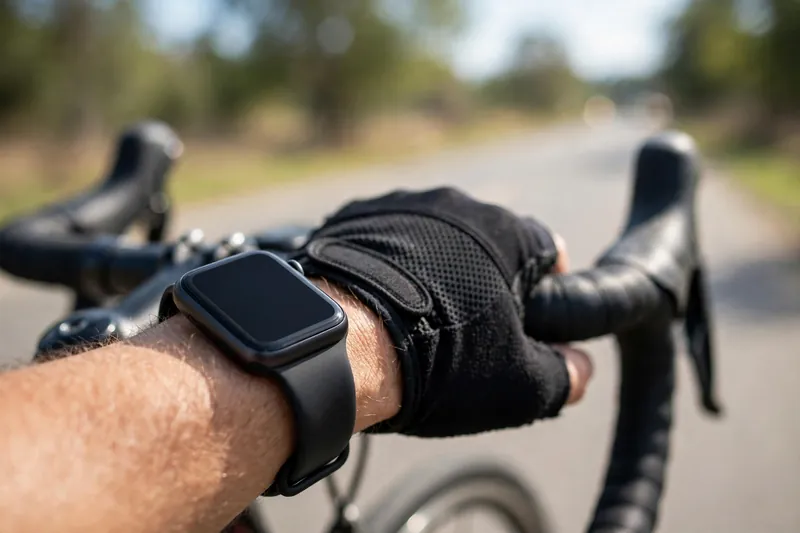
Where speed lives on the watch
There is no separate speedometer app on the watch, and there never has been. Instead, speed lives inside each workout, and the Workout app decides the format based on the activity. The same watch shows different numbers for a run and a ride, even at the same speed.
| Workout | How speed appears | Main data source |
|---|---|---|
| Outdoor Run | Current pace, average pace, rolling pace (min/mile or min/km) | GPS + accelerometer |
| Outdoor Walk / Hiking | Pace and distance | GPS + accelerometer |
| Indoor Run / Indoor Walk | Estimated pace and distance | Accelerometer + calibrated stride |
| Outdoor Cycle | Speed in mph or km/h, average speed, distance | GPS, or a paired speed sensor |
| Indoor Cycle | Speed only with a paired sensor | Bluetooth sensor |
For cycling, the steps are simple: open the Workout app, tap Outdoor Cycle, choose Open with no goal, and start. Your speed shows right under the elapsed time. The reading changes a little slowly — GPS speed is smoothed, so do not expect the instant response of a car dashboard — but on a steady ride it settles quickly.
Pace is speed, turned inside out
Runners see pace, not speed: minutes per mile or per kilometre instead of miles or kilometres per hour. The two are the same measurement expressed differently, and the conversion is one division. Speed in mph is 60 divided by your pace in minutes per mile: an 8:00-minute mile is 60 ÷ 8 = 7.5 mph, and a 6:00-minute mile is 10 mph. In metric, speed in km/h is 60 divided by your pace in minutes per kilometre: 5:00 min/km is exactly 12 km/h, and 4:00 min/km is 15 km/h. Our pace converter does the same maths in one tap, and our marathon pace calculator turns a target finish time into the pace you need to hold.
GPS, and when the watch needs your iPhone
Outdoors, the watch uses GPS. Indoors, with no satellite signal, it estimates distance from its accelerometer and your calibrated stride — which is why an indoor run is rougher than an outdoor one. Apple Watch Series 2 and later have built-in GPS, and Apple says Watch Ultra and later, Series 8 and later, and the second-generation SE use their built-in GPS even when your iPhone is nearby. Older models can still track speed, but they lean on the iPhone's GPS when it is in range, so leaving the phone at home on an old watch costs you accuracy.
You can improve the indoor estimate by calibrating the watch: walk or run outdoors with good GPS reception for about 20 minutes, and the watch learns your stride length at different speeds. It is Apple's own recommended method, and it is the reason two identical watches can give different indoor numbers — one has been calibrated, the other has not.
How the watch measures speed
The watch has three ways to work out how fast you are moving, and it switches between them without telling you. Outdoors it uses GPS: the built-in receiver times signals from satellites and works out velocity from the Doppler shift of those signals, the same physics our guide to how GPS works explains. Indoors, with no satellite signal, it estimates from its accelerometer and gyroscope, measuring your motion and combining it with the stride length it learned during calibration. And with a paired Bluetooth speed sensor on a bike, it measures the wheel directly — no satellites needed at all.
That is why the same watch can be precise on a road ride and rough on a treadmill. The GPS measurement is the good one; the accelerometer estimate depends on how well the watch knows your stride, which is exactly what the 20-minute outdoor calibration is for. If you have never calibrated, do it before you trust an indoor number.
Pace and speed: the numbers to know
Runners live in pace, cyclists live in speed, and the watch shows each group its own unit. The conversion is one division, and these are the pairs worth knowing:
| Pace (min/km) | Speed (km/h) | Pace (min/mile) | Speed (mph) |
|---|---|---|---|
| 6:00 | 10.00 | 9:39 | 6.21 |
| 5:00 | 12.00 | 8:03 | 7.46 |
| 4:30 | 13.33 | 7:15 | 8.28 |
| 4:00 | 15.00 | 6:26 | 9.32 |
| 3:30 | 17.14 | 5:38 | 10.65 |
The maths behind the table is simple. Speed in km/h is 60 divided by pace in minutes per kilometre: 60 ÷ 5 = 12 km/h. Speed in mph is 60 divided by pace in minutes per mile: 60 ÷ 8 = 7.5 mph. And a pace in min/km becomes a pace in min/mile by multiplying by 1.609344, because a mile is 1.609344 kilometres: 5:00 min/km is 8:03 min/mile. Our pace converter does all three conversions in one tap, and our marathon pace calculator turns a target finish time into the pace you need to hold for the whole race.
What the watch cannot do
The watch is a fitness instrument, not a driving instrument. Its speed reading changes a little slowly, because GPS speed is smoothed, so do not expect the instant response of a car dashboard. Its screen is small, it is on the wrong wrist for a driver, and the Workout app is built for exercise, not for driving. It also has no speedometer for swimming or for a car: there is no workout type that shows a car's speed, and there never has been. For driving, check your speed on the live GPS speedometer instead — it reads straight from the satellites and works on any phone.
Battery is the other honest limit. A GPS workout drains the battery far faster than normal wear, because the receiver, the motion sensors and the screen are all working at once. For a long ride, start with a full charge and keep the screen brightness down; for a marathon, most runners find the watch lasts the race, but a multi-hour ride with the screen always on is a different matter. If the watch dies halfway, the workout ends with it.
Customising what you see
The default workout screen is not the only one. You can add, remove and reorder the metrics in each workout's Views screen, so a cyclist can put current speed first and a runner can put rolling pace first. You can also pair Bluetooth speed and cadence sensors under Settings, then Bluetooth, on the watch. A wheel sensor measures your actual wheel speed, so it keeps working in a tunnel or under heavy tree cover where GPS drops out — and for indoor cycling, a sensor is the only way to get a speed at all.
Third-party speed apps
If you want a dedicated speed screen rather than a workout, the App Store has several. Speedometer for Apple Watch and Speedometer HD are the long-running examples, and Smart GPS Speedometer shows a digital or analogue dial with top and average speed. They add what the Workout app does not: a big speed number with nothing else on the screen, a maximum-speed record, and route mapping with your speed at each point. Check the App Store listing for the current price before you buy — prices and features change, and an old article's price is not a current price.
FAQ
Questions, answered.
01 Does the Apple Watch have a built-in speedometer? +
No, not as a standalone app. There is no speedometer icon on the watch. Speed lives inside the Workout app: start an Outdoor Cycle workout and the watch shows your speed in mph or km/h; start a run or a walk and it shows pace instead. A third-party app adds a dedicated speed screen if you want one.
02 How do I see my speed in mph on an Apple Watch? +
Open the Workout app, choose Outdoor Cycle, and start the workout — your current speed shows on the screen in mph or km/h, depending on your units. For running, the watch shows pace in minutes per mile or per kilometre instead; 60 divided by your pace gives your mph, so an 8:00-minute mile is 7.5 mph.
03 Does the Apple Watch need my iPhone to measure speed? +
No, not since Series 2, which added built-in GPS. Apple Watch Ultra and later, Series 8 and later, and the second-generation SE use their built-in GPS even when your iPhone is nearby. Older models can still track speed, but they lean on the iPhone's GPS when it is in range.
04 How accurate is the speed on an Apple Watch? +
Outdoors with a clear sky it is good — the watch uses GPS, and GPS speed is measured from the Doppler shift of satellite signals, which is far more precise than position. Indoors it estimates from the accelerometer and your calibrated stride, which is rougher. Calibrate it by walking or running outdoors for about 20 minutes with good GPS reception.
05 Can I add a speed sensor to my Apple Watch? +
Yes, for cycling. Bluetooth speed and cadence sensors pair under Settings, then Bluetooth, on the watch, and recent watchOS versions use them in Outdoor Cycle workouts. A wheel sensor measures your actual wheel speed, so it keeps working in a tunnel or under heavy tree cover where GPS drops out.
06 Can I use my Apple Watch as a car speedometer? +
You can see a speed on your wrist, but it is a poor car speedometer. The screen is small, it is on the wrong wrist for a driver, and the Workout app is built for exercise, not driving. For a car, mount your phone and use a browser speedometer or a navigation app instead — the number is bigger and your eyes stay on the road.
Related tools
Pace, speed and trips, on any device.
Sources
Where the facts came from.
- Measuring Expert — Apple Watch Speed: How to See Pace, mph and km/h (no separate speedometer app; run/walk show pace, cycle shows speed; outdoors GPS, indoors accelerometer + calibrated stride; Ultra/Series 8/SE 2nd gen use built-in GPS even with iPhone nearby; Bluetooth speed/cadence sensors; calibrate with ~20 min outdoor walk/run)
- WCCFTech — How to Use Apple Watch as Speedometer for Tracking Speed (Workout app Outdoor Cycle shows GPS speed under the elapsed time; third-party Speedometer and Speedometer HD apps)
- GB Times — Is there a speed app for the Apple Watch? (no pre-loaded speedometer app; third-party apps add real-time speed, average, max, route mapping, Health sync)
- WatchAware — Speedometer for Apple Watch (speed, altitude and course in real time; track recording; units mph, km/h, knots, m/s)
Last checked: 22 November 2026.