Blog · Google Maps
Why does Google Maps show a different speed than my car?
Google Maps says 95 km/h, your dashboard says 100. The gap is normal, and it is not a fault in either one: Maps measures your movement from satellites, smoothing the reading as you drive, while your car's speedometer is set high on purpose. On a steady open road, the Maps number is usually the closer one to your true speed.
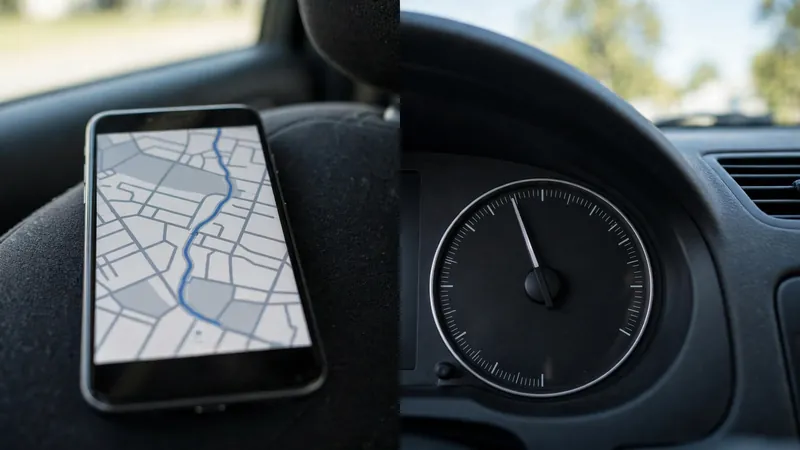
Two different measurements
Google Maps and Waze measure speed the way you learned it in school: speed equals distance divided by time. Your phone works out where it is from satellite signals, watches how that position changes, and turns the change into a speed. It does not touch the car at all. Waze uses the same GPS method, so the same gap shows up there — see is Waze speed accurate for how it compares against radar.
Your car's speedometer does something else entirely. It counts how fast a wheel or a driveshaft is turning, then multiplies by an assumed tyre size to turn rotation into speed. That assumption is the weak point: the calculation is only right if the tyres are exactly the size the factory expected. Wear them down, change them, run them under-inflated, and the number drifts — and the sensor never knows.
The phone's position is typically accurate to within 4.9 metres (16 feet) under open sky, according to GPS.gov, and worse near buildings, bridges and trees. That sounds rough, but speed is measured differently from position: the receiver also reads the Doppler shift of the satellite signals, which gives velocity directly and far more precisely than position. That is why a phone's speed reading is usually steadier than its position on the map.
Your dashboard reads high on purpose
The bigger reason for the gap is deliberate. Regulators do not want a car to tell its driver they are slower than they are, so the rules say a speedometer must never read below the true speed — and may read above it by up to 10% plus 4 km/h at type approval under UN Regulation 39, the standard most of the world follows. The US has no equivalent accuracy rule. Australia's rules are the same shape: zero percent under to 10 percent over, and manufacturers typically set the dial about 5 percent over, according to road safety expert Professor Michael Regan at UNSW. In practice that means a dashboard showing 100 km/h is usually doing about 95 km/h, and one showing 125 km/h is usually doing about 121–122 km/h. The full explanation — why the gap grows with speed, what tyres do to it, and the worked example — is in our companion post on why your car's speedometer reads different from GPS.
Waze vs Google Maps: same chip, different smoothing
Google Maps and Waze rarely differ by much, because both read the same GPS chip in your phone. Small differences come from how each app smooths the reading: Waze updates and filters differently from Google Maps, and one may lag a second behind the other when you accelerate or brake. At a steady speed on an open road they should agree within 1 mph. If they disagree by more than that at a steady cruise, one of them is working with a weak signal — usually the one that has been open longer without a fresh fix, or the one running in the background.
The two apps also differ in what else they show. Waze puts the speed next to hazard and police reports and warns you when you creep over the limit. Google Maps puts it next to the posted limit from its map data and changes colour when you go over. Neither difference makes one more accurate than the other; the speed comes from the same satellite signals either way.
The speed limit is a third number
There are actually three numbers on the screen, and it helps to keep them apart. Your speed is a live measurement. The dashboard number is a different live measurement, made another way. And the speed limit is not a measurement at all — it is a property of the road, looked up from map data. Google Maps shows the limit in more than 40 countries, and it can be wrong: a limit can change after roadworks, a new sign can go up before the map is updated, and a temporary limit may never reach the map at all.
That is why the limit turning red matters less than the speed number itself. If the map's limit is out of date, the warning is out of date with it. The sign on the road is the authority, not the app. And it is also why the speed-limit warning can be wrong even when the speed is right: the speed comes from satellites, the limit comes from a database, and the two fail in different ways.
When Google Maps is the wrong one
GPS is not perfect either, and there are places where the dashboard is the more reliable number. In a tunnel or a parking garage there is no satellite signal at all, so the reading freezes or drops to zero. Between tall buildings the signals bounce off walls before reaching the phone — multipath — and the position jumps, which makes the speed jump with it. Under heavy tree cover or in a deep valley the same thing happens on a smaller scale.
Phones also report a new fix about once a second, so under hard acceleration or braking the reading trails what is happening by a moment. And on a steep hill, GPS measures your horizontal speed, which is slightly less than your speed along the slope — about 0.5% less on a 10% gradient. None of this matters much on a flat motorway at a steady speed, which is exactly where the comparison is worth doing.
Google's own guidance is unambiguous: "Speedometers shown in the Google Maps app are for informational use only. Make sure to use your vehicle's speedometer to confirm your actual driving speed." That is the legal position, not a statement about accuracy. The dashboard is the reference the law recognises; the GPS number is the cross-check that tells you whether the dashboard is honest.
How to compare them properly
A single glance at two numbers proves nothing. Hold a steady speed with cruise control on a straight, level road for 15–20 seconds, and have a passenger record both numbers at the same moment. Repeat at 30, 50 and 70 mph, and in both directions. Then work out the error: (dashboard − GPS) ÷ GPS × 100. A dashboard showing 100 km/h against a GPS reading of 95 km/h is (100 − 95) ÷ 95 × 100 = +5.3% — inside the type-approval allowance (UN Regulation 39 countries), and nothing to fix.
What should worry you is a gap that behaves differently: a dashboard that reads low (never normal — have it checked), a gap that grows with speed, or a gap that appeared suddenly after a tyre change or a repair. Those are the signs of a real fault, not a factory setting. Our car speed test walks through the full comparison, and our speedometer error calculator turns the two numbers into a percentage and a correction table. You will find both checks among the free speed tools.
FAQ
Questions, answered.
01 Why is Google Maps slower than my speedometer? +
Because the two measure speed in different ways, and your car's speedometer is set high on purpose. Regulators in R39 countries require a dashboard never to read below your true speed, and allow it to read high by up to 10% plus 4 km/h at type approval. Most makers set it a few percent high, so on a steady road the dashboard is usually 2–5 mph above the GPS number.
02 Is Google Maps speed more accurate than my car? +
On a flat, straight road at a steady speed, usually yes — GPS measures your actual movement over the ground, while the dashboard estimates it from wheel rotation and an assumed tyre size. But Google Maps is not a calibrated instrument either: it lags under hard acceleration, drops out in tunnels, and its own guidance says the reading is for informational use only.
03 Why does Google Maps speed jump around? +
Because the GPS signal is weak or reflected. Between tall buildings, under heavy tree cover, on bridges and in tunnels, the phone's position fixes get noisy, and a noisy position makes a jumpy speed. The reading usually settles within seconds once you are back under open sky. A steady cruise on an open road is the most reliable reading.
04 Does Google Maps show speed on iPhone? +
Yes, since July 2024. Google rolled the speedometer out to iPhone and CarPlay starting on 9 July 2024, after Android had it since 2019. Turn it on under Settings, then Navigation, then Map display, then Show speedometer. It only shows while you are navigating, and the speed limit appears next to it where that is supported.
05 Can I get a ticket if I trust Google Maps instead of my dashboard? +
Yes — the law cares about your true speed, not the number on either screen. If your dashboard reads low and you trust it, you can still be fined. The safe rule is the opposite of what most drivers do: on a steady road, the GPS number is usually the closer one, and the dashboard is the higher one, so driving to the GPS number keeps you further from the limit.
06 Why do Google Maps and Waze show different speeds? +
They rarely differ by much, because both read the same GPS chip in your phone. Small differences come from how each app smooths the reading: Waze updates and filters differently from Google Maps, and one may lag a second behind the other when you accelerate or brake. At a steady speed on an open road they should agree within 1 mph.
Related tools
Compare the two numbers, properly.
Sources
Where the facts came from.
- UMA Technology — Is Google Maps Speedometer Accurate? GPS vs. Car Speedometer (Google: "Speedometers shown in the Google Maps app are for informational use only. Make sure to use your vehicle's speedometer to confirm your actual driving speed."; GPS.gov 4.9 m / 16 ft typical smartphone position under open sky)
- AutoEvolution — Why the Google Maps and Waze Speed Is Different from the One on the Dashboard (apps measure distance ÷ time; cars measure wheel rotation; makers multiply by a factor and add 2–4 km/h; ~10% accepted accuracy)
- UNSW — Need for speed: why some speedometers lag behind reality (ADR 0–10% over; manufacturers typically ~5% over, Prof. Michael Regan; dash 100 km/h → true ~95 km/h; worn tyres shrink circumference → speedo over-reads more; GPS more accurate on flat straight road)
- EFTM — Why is Google Maps, Waze and sat-nav speed different from my car speedometer? (typical ~3 km/h high at 100 km/h; dash 125 km/h → true ~121–122 km/h; police cars specially calibrated)
Last checked: 22 November 2026.