Blog · Waze
Is Waze speed accurate?
Yes. On a steady open road, Waze is usually closer to your true speed than your dashboard. In a test against a police-grade LiDAR gun, Waze read exactly 80 and 100 km/h at both speeds — while the car's own speedometer read 4 and 5 km/h high.
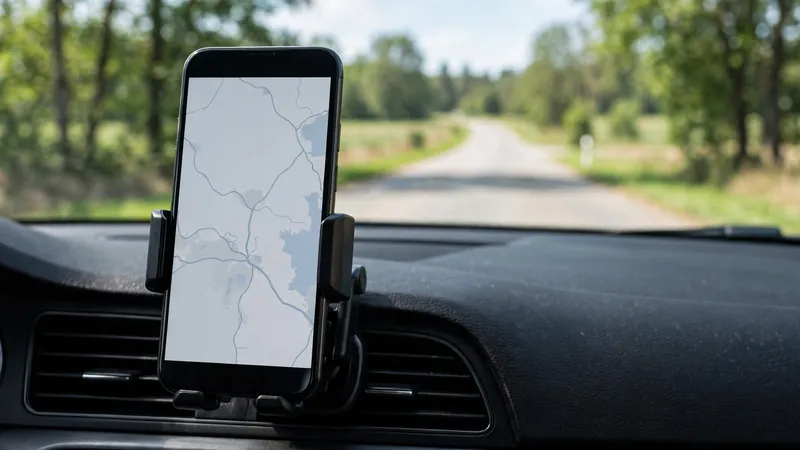
How Waze measures your speed
Waze does not ask your car anything. It works out speed the way every sat-nav does: speed equals distance divided by time. Your phone fixes its position from GPS satellites, measures how far it moved between fixes, and divides by the time between them. On an open road that maths is very good — GPS.gov puts typical smartphone positioning at about 4.9 metres under open sky, so the distance between two fixes a second apart is measured precisely enough for a speed reading you can trust.
The result is your speed over ground: how fast you are actually moving across the earth. It is the same number a dedicated GPS speedometer shows, and the same number our live GPS speedometer shows in your browser.
Why the dashboard reads high
Your dashboard measures speed a different way — from wheel rotation — and then deliberately adds a margin. The rule behind it is UN Regulation 39, which at type approval says a speedometer may read up to 10% + 4 km/h high, but must never read low (10% + 6 km/h for cars coming off the production line). The rule applies in R39 countries — the US has no equivalent accuracy rule. Makers use that headroom: they calibrate the dashboard to read a little high so the car can never under-report your speed, even as tyres wear and pressures change.
In practice the gap is small but consistent. Twenty years of testing by Australian motoring journalists found most new cars over-read by about 3% — roughly 3 km/h at 100 km/h — with some cars up to 6% out against precision timing equipment. At 100 km/h true speed, a dashboard showing 103 km/h is normal. At 125 km/h on the dashboard, the true speed is more like 121–122 km/h. The margin also protects you: if you drive through a speed camera with the dashboard on the limit, your true speed is below it.
Tyre changes make it worse. The dashboard assumes a fixed tyre circumference, so a different tyre size, heavy wear or the wrong pressure all shift the reading. GPS has no such assumption — it measures the road, not the wheel.
The test: Waze vs a police LiDAR gun
CarExpert put it to the test properly. The car was a Ford Mustang Mach-E, the phone an iPhone 15 Pro running Waze and Google Maps through Apple CarPlay, and the reference was a calibrated Kustom Signals Pro Laser III — a LiDAR device police use to detect speed. They drove at the laser at 80 km/h and 100 km/h, first by the car's speedometer, then by Waze, then by Google Maps.
| True speed (LiDAR) | Car speedometer | Waze | Google Maps |
|---|---|---|---|
| 80 km/h | 84 km/h (4 high) | 80 km/h — exact | 80 km/h — exact |
| 100 km/h | 105 km/h (5 high) | 100 km/h — exact | 100 km/h — exact |
Both apps were dead accurate at both speeds, on the CarPlay display, at the exact moment the laser measured the car. The dashboard was out by 4 and 5 km/h — within the type-approval allowance (UN Regulation 39 countries), and exactly the behaviour the regulation is designed to produce. The testers noted one quirk: Waze can lag a second behind a sudden speed change, because it averages over its update window. At a steady speed, that lag does not matter.
Where GPS speed goes wrong
Waze is accurate where the GPS signal is good. It is not accurate everywhere. In a tunnel, an underground car park or a deep street canyon, the phone cannot see enough satellites, and the speed reading freezes or drops to zero until the signal returns. In the first seconds after you start moving, the reading can jump while the receiver settles.
There is also a subtle difference in what is being measured. A radar gun measures your instantaneous speed — your exact speed at one moment. GPS calculates an average over a short window, updating every 1–3 seconds. If you accelerate hard for one second inside that window, the radar catches the peak and the GPS sees only the average. On a steady cruise the two agree; in a burst of acceleration they do not.
How to turn the speedometer on in Waze
Waze shows your speed by default in most regions, but if the number is missing, the setting is easy to find. Open Waze, tap Settings → Speedometer → Show Speedometer, then Set Preferences → Show Speed Limit to add the posted limit beside it. On CarPlay the same settings apply — the speed appears on the car display once it is on in the app. While you are there, check the speed camera alerts are on: Settings → Alerts and Reports → Reports → Cameras. They are on by default, but a reset can switch them off.
Waze and Google Maps use the same GPS maths, and in the CarExpert test both were dead accurate at 80 and 100 km/h — there is no accuracy reason to prefer one over the other. The difference is what else they show: Waze leans on crowd-sourced reports — hazards, police, cameras — while Google Maps leans on its own map data and traffic. Pick the one whose extra information you actually use; for the speed number alone, they are equal.
One Waze feature worth knowing about is the limit-drop warning. When the posted limit is about to fall sharply — a motorway dropping from 70 to 50 mph for roadworks, for example — Waze warns you before you reach the new limit, not after. Google Maps shows the limit too, but Waze's warning is the more useful of the two on an unfamiliar road, because it catches the change you would otherwise miss while watching the traffic.
Can you use it against a ticket?
No. Courts treat police radar as the approved instrument, and consumer GPS as a convenience, not evidence. Radar is calibrated and tested before each shift; your phone is not. Waze is weaker still as evidence, because it is a third-party app showing aggregated data from other people's phones. The right way to use Waze is to avoid the ticket — drive to the GPS number, which is closer to what the police will measure, and leave a margin.
The practical rule is simple. On an open road at a steady speed, Waze is telling the truth and your dashboard is flattering you by a few km/h. If the two disagree by 3–5 km/h at motorway speed, nothing is broken. If they disagree by 10 km/h or more, something is — usually the tyres, the sensor, or the dashboard itself — and our car speed test will show you exactly how far apart they are.
FAQ
Questions, answered.
01 Is Waze speed more accurate than my car's speedometer? +
Usually, yes. Waze calculates speed from GPS satellites, while your dashboard is driven by the wheels and is deliberately set to read high — the law in R39 countries allows it to read up to 10% + 4 km/h high at type approval but never low. In a test against a police-grade LiDAR gun, Waze read exactly 80 and 100 km/h at both speeds, while the car's speedometer read 4 and 5 km/h high. On a steady open road, trust Waze over the dashboard.
02 How does Waze calculate your speed? +
From GPS, the same way every sat-nav does: speed equals distance divided by time. Your phone works out its position from satellites, measures how far it moved between fixes, and divides by the time between them. GPS.gov puts typical smartphone positioning at about 4.9 metres under open sky, so on an open road the maths is very good. The result is your speed over ground — the same thing a GPS speedometer shows.
03 Why is Waze speed different from my dashboard? +
Because the two measure different things in different ways. Waze measures your real movement from satellites. Your dashboard measures wheel rotation and then adds a safety margin — makers deliberately calibrate speedometers to read high, typically by about 3% at 100 km/h and up to 6% in some cars, so the car can never under-read your speed. A 3 km/h gap at 100 km/h between Waze and the dashboard is normal, not a fault.
04 Is Waze speed accurate in tunnels? +
No — and neither is any other GPS speed. Inside a tunnel your phone cannot see the satellites, so Waze has no new position to measure. It usually holds the last speed for a few seconds, then drops to zero or freezes until you come out and lock on again. The lag after a tunnel is the time it takes to find satellites and get a fresh fix. In tunnels, the dashboard is the only reading you have.
05 Can I use Waze speed to fight a speeding ticket? +
No. Courts treat police radar as the approved instrument: it measures your instantaneous speed at one moment, while GPS and Waze calculate an average over a short window, updating every 1–3 seconds. A radar gun catches the peak speed in a single second; your GPS average over that window can be lower. Waze is a third-party app showing aggregated data, which makes it weaker as evidence than even your phone's own GPS. Use Waze to avoid the ticket, not to argue about one.
06 Does Waze show your speed? +
Yes. Waze shows your live GPS speed on the map whenever the app is open and you are moving. If the number is missing, turn it on under Settings, then Speedometer, then Show speedometer, and add the limit under Show speed limit. Google Maps shows your speed too, but only while you navigate and only after you switch it on. Apple Maps still shows only the posted limit, never your own speed.
07 Why does Waze show 3–5 mph slower than my car's speedometer? +
Because Waze shows your true GPS ground speed, while your dashboard is deliberately set to read high. Under UN Regulation 39 a speedometer may read up to 10% plus 4 km/h high but never low — at a true 60 mph that allows a dashboard reading up to 68.5 mph, and at 70 mph up to 79.5 mph. So a 3–5 mph gap at highway speed is normal. Only worry if the gap is large, jumps around, or the dashboard reads lower than Waze.
Related tools
Test it on your own car, live.
Sources
Where the facts came from.
- CarExpert — Google Maps vs Waze: Which best avoids a speeding fine? (LiDAR test: Waze exact at 80 and 100 km/h, dashboard 4–5 km/h high)
- EFTM — Why is Google Maps, Waze and sat-nav speed different from my car speedometer? (~3% over-read at 100 km/h, up to 6% vs VBox)
- AutoEvolution — Why the Google Maps and Waze Speed Is Different from the One on the Dashboard (GPS distance ÷ time, 4.9 m accuracy, maker's 2–4 km/h margin)
- NextLaw — Officer's Radar vs Your GPS, Waze, or Speedometer (instantaneous vs averaged speed; courts do not accept GPS as evidence)
- Waze Help — Get speed limit alerts (Settings, Speedometer, Show speedometer; speeding threshold and Alert when speeding)
- EUR-Lex — UN Regulation No. 39 (02 series, 2025/1902) (type approval para 5.4: 0 ≤ (V1 − V2) ≤ 0.1·V2 + 4 km/h)
Last checked: 22 November 2026.